

Systems engineering · Stage 04 sample output
Kova
ERP implementation consulting for mid-market companies
This is an illustrative example. The company scenario and figures show how the work is presented; they are not reported client results or promised outcomes.
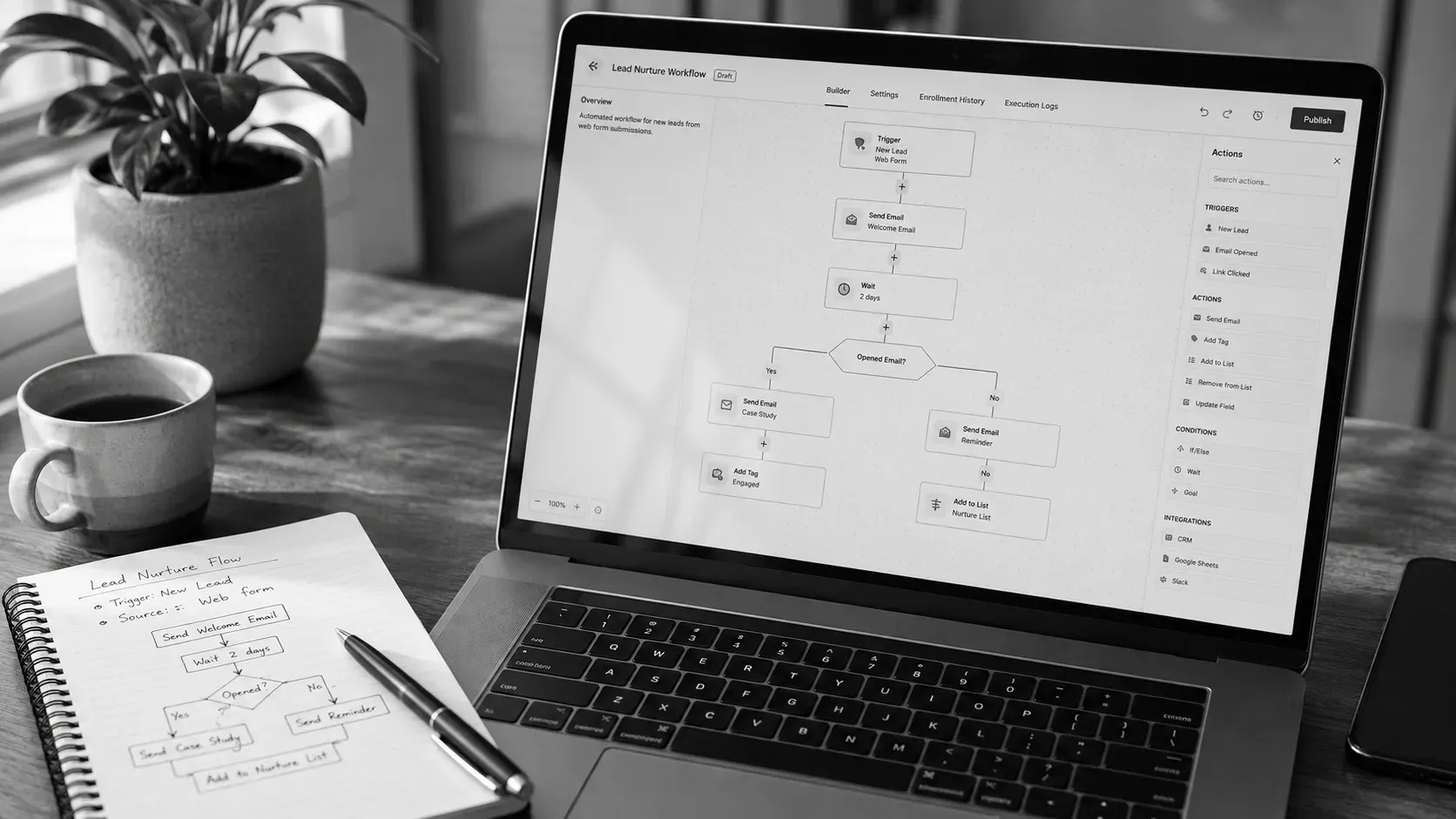
- Company
- Kova Consulting
- Sector
- ERP solutions
- Timeline
- 4–6 weeks
- Strategist
- Apostolos Bolkas
Executive memorandum
Commercial mandate & context
Kova is an eight-person consulting firm helping mid-market enterprises implement ERP systems. When we began, they were managing more than 40 active client engagements with an entirely manual back office: form submissions copied by hand into HubSpot, lead follow-ups sent from personal inboxes, and pipeline numbers tracked in a spreadsheet updated twice a week.
The brief: map every manual touchpoint, automate the stable recurring workflows, and hand over a resilient system that the internal team can manage independently without ongoing consultant retainers.
-
2 min
Lead response time
Down from 4.2 hours (−99%)
-
98%
CRM data accuracy
Up from 61% baseline (+37pp)
-
11 hrs / wk
Manual hours saved
Reallocated to client delivery
-
0
Leads lost to lag
Down from six per month
System index
4 sections
Architecture specs
Usually four–six weeks • €6,000–€9,000 flat fee
01 · Process mapping
Before vs after
Transformation across the conversion lifecycle
We mapped every manual touchpoint where inbound enquiries stalled and replaced individual guesswork with clear deterministic logic.
Previous manual flow
Manual lag
- 01
Lead submits enquiry
Checked manually from email. Average lag of 4.2 hours before entry into CRM.
- 02
Consultant assignment
Assigned by partner memory. No capacity tracking or routing rules.
- 03
Initial follow-up
Sent from personal inboxes when time allowed, ranging from same day to day three.
- 04
Pipeline updates
Google Sheet updated twice weekly. Consistently out of sync with actual conversations.
- 05
Proposal creation
Shared informally during Monday syncs, missing high-intent buyer momentum.
Automated system state
Zero friction
- 01
Instant CRM contact creation
Form data creates and enriches HubSpot contact instantly with source attribution.
- 02
Rule-based smart routing
Automated routing based on industry sector and consultant capacity.
- 03
Two-minute follow-up trigger
Personalised email sequence triggered within two minutes with consultant context.
- 04
Real-time pipeline ledger
CRM updates continuously with automated Monday executive reporting digests.
- 05
Instant proposal alert
Direct Slack notification to partner channel the moment a deal enters proposal stage.
02 · Automation inventory
Production workflows
Five live core automations
Each workflow was engineered with strict triggers, validated destinations, and assigned internal owners.
-
01
Status: live
Lead capture & data enrichment sync
Creates or enriches HubSpot records on form submission. Maps service tier, headcount, and referral source with email deduplication.
- Trigger
- Typeform submission
- Destination
- HubSpot CRM
- Owner
- Operations lead
-
02
Status: live
Intelligent consultant routing
Assigns qualified leads to the best-matched consultant based on technical domain and current capacity. Delivers instant Slack alert with deal overview.
- Trigger
- New CRM contact created
- Destination
- HubSpot owner assignment + Slack
- Owner
- Operations lead
-
03
Status: live
Immediate follow-up sequence
Dispatches a contextual personal email within two minutes using the assigned consultant signature, automatically pausing upon buyer response.
- Trigger
- Lead assigned in CRM
- Destination
- HubSpot email automation
- Owner
- Assigned consultant
-
04
Status: live
Weekly executive pipeline digest
Compiles weekly pipeline metrics, active deal stages, and stalled conversations into an automated briefing without manual spreadsheet exports.
- Trigger
- Every Monday at 08:00 AM
- Destination
- Leadership email group
- Owner
- Operations lead
-
05
Status: live
Proposal stage notification
Alerts executive leadership immediately when high-value proposals are requested, surfacing client scope and estimated contract value.
- Trigger
- Deal moves to Proposal stage
- Destination
- Slack #deals channel
- Owner
- Managing partner
03 · Integration map
Tool connectivity & logic
How data moves across the architecture
We favoured native API connections over fragile third-party middleware to reduce potential points of failure.
Key architectural decisions
- Direct Typeform to HubSpot integration: Built using native CRM data mapping rather than third-party webhooks to minimise data latency and eliminate middleware costs.
- HubSpot internal workflow logic: Consolidated routing rules, sequence enrolment, and notification triggers inside CRM workflows so the internal team owns all operational rules in one place.
- Slack native alerting: Leveraged standard channel connectors to deliver real-time deal alerts directly to mobile without custom webhook infrastructure.
04 · Handover governance
Maintenance & monitoring
Self-sustaining operational governance
The system was built to be run entirely by internal staff, accompanied by clear monitoring routines and change request guidelines.
Monitoring protocol
Weekly review of CRM workflow execution history to verify zero failed enrolments or sync warnings.
Change protocol
All adjustments to lead routing logic or copy sequences are tested in a sandbox contact environment prior to production deployment.
The strategic diagnosis
The previous four-hour response delay was never an employee dedication issue. The team was responsive, but they had no underlying architecture that made responding in two minutes possible. Every hour of delay was a structural system flaw disguised as a workload bottleneck. Automation did not force people to work harder, it eliminated the structural friction entirely.
Methodology
Built to be handed over and owned.
Not locked into expensive software retainers. The Automation Systems engagement includes:
-
Current state audit
Full assessment of your existing software, manual data handoffs, and team responsibilities.
-
System architecture blueprint
Complete data schema, field mapping definitions, and logic flowcharts documented before building.
-
Prioritised automation backlog
A structured roadmap ranking integrations by commercial impact, technical feasibility, and speed.
-
Custom integration engineering
Expert build covering APIs, CRM connections, webhooks, and automated email sequences.
-
Standard operating procedures
Clear written and video documentation tailored for your team to understand and maintain.
-
Handover & governance QA
End-to-end edge-case testing, error monitoring setup, and verified team walkthroughs before sign-off.